
Synthesia has recently been in the news with their $4 billion in funding. But, is it really a great AI video tool? Here, in my Synthesia Review, I’ll go over what you can do with it, how well it performs, and whether it’s the right AI video tool for your content creation or business use. Let’s take a detailed look.
Synthesia Pricing and Plans
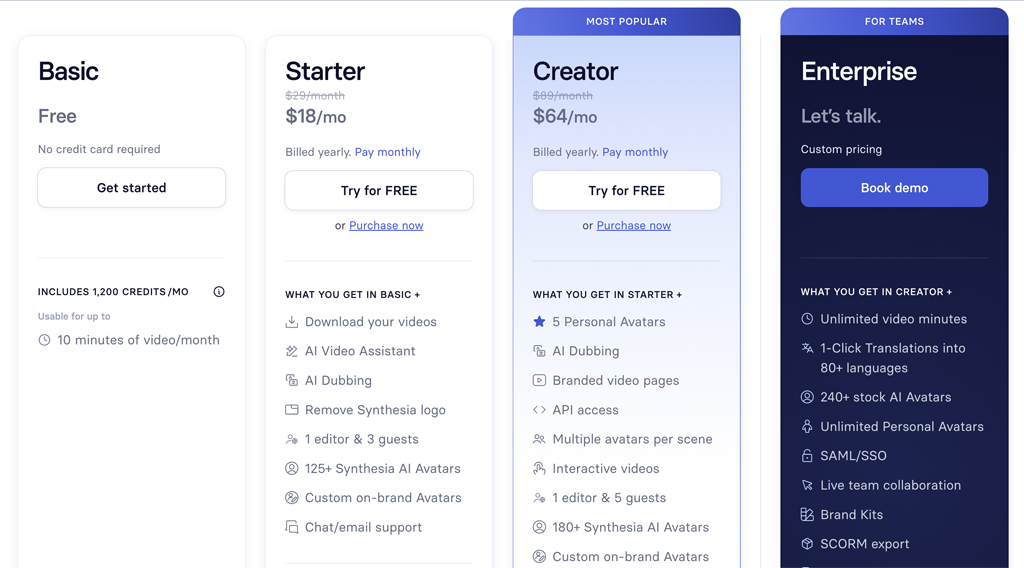
Like other AI tools these days, Synthesia offers a free plan that you can use to try out the product. It’s a great way to get familiar with the basic features. However, you will be limited in what you can create. Serious content creators and businesses will at least want to get either the Starter or Creator Plan. Synthesia also offers custom enterprise pricing.
- Basic: $0 mo. (1200 Credits mo.)
- Starter: $18 mo. (14,500 Credits yr.)
- Creator: $64 mo. (44,000 Credits yr.)
- Enterprise: Custom Pricing
How Synthesia Can Help Improve Your Business
Synthesia allows any business or individual to create professional videos such as training videos, onboarding videos, sales videos, product videos, etc. Using AI technology, you can use Synthesia’s avatars or create your own personal avatar to use in creating videos much faster and easier. In other words, Synthesia can help your business internally (training and onboarding) as well as externally (customer acquisition).
How to Create Your Own Personal AI Avatar

I created my own personal avatar with Synthesia, and the process was very easy. To get started, you can either record directly with your webcam or upload a video of yourself that you’ve already recorded. It needs to be at least a minute long. You’ll also need to verify and provide consent for your avatar to be created. You are then notified when your avatar is ready.
The stated availability time for your avatar is one day. However, in my case I was notified that my avatar was ready about 8-9 hours later. I was very impressed with the video portion of the avatar. The only downside was that the voice didn’t really sound like me. Synthesia does have voice cloning, however it’s only available with their Enterprise plan. That is one reason why I would tend to recommend Synthesia more for larger business or enterprise users.
Creating a Video with Synthesia
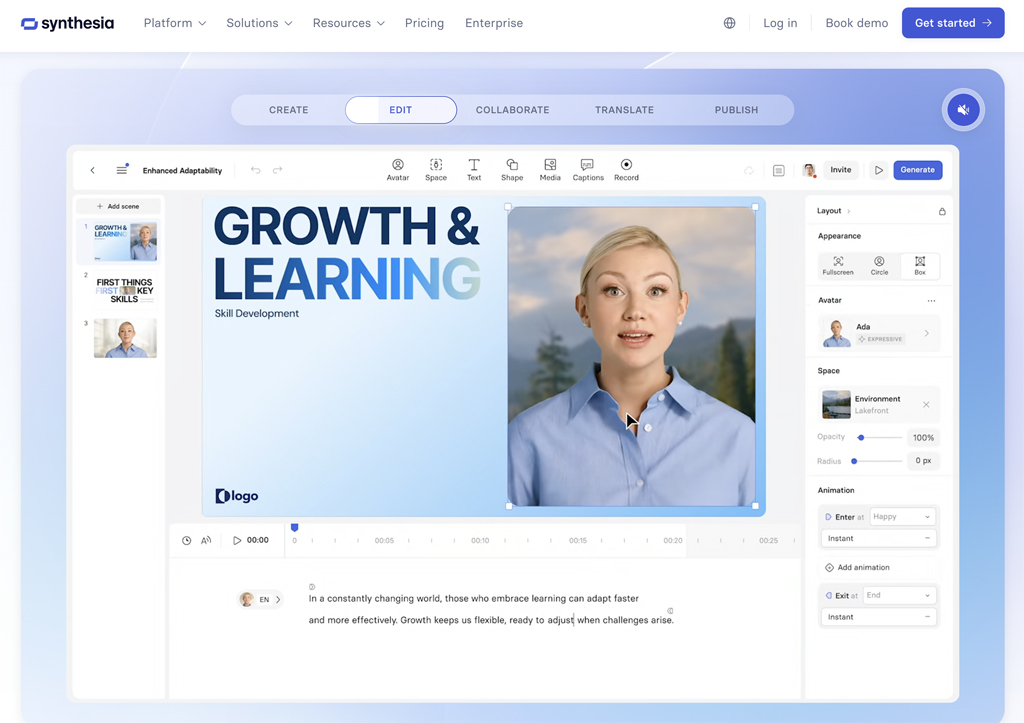
I found creating a video with Synthesia to be a very straightforward and easy process. You can record from the Synthesia video editor or use your avatar.
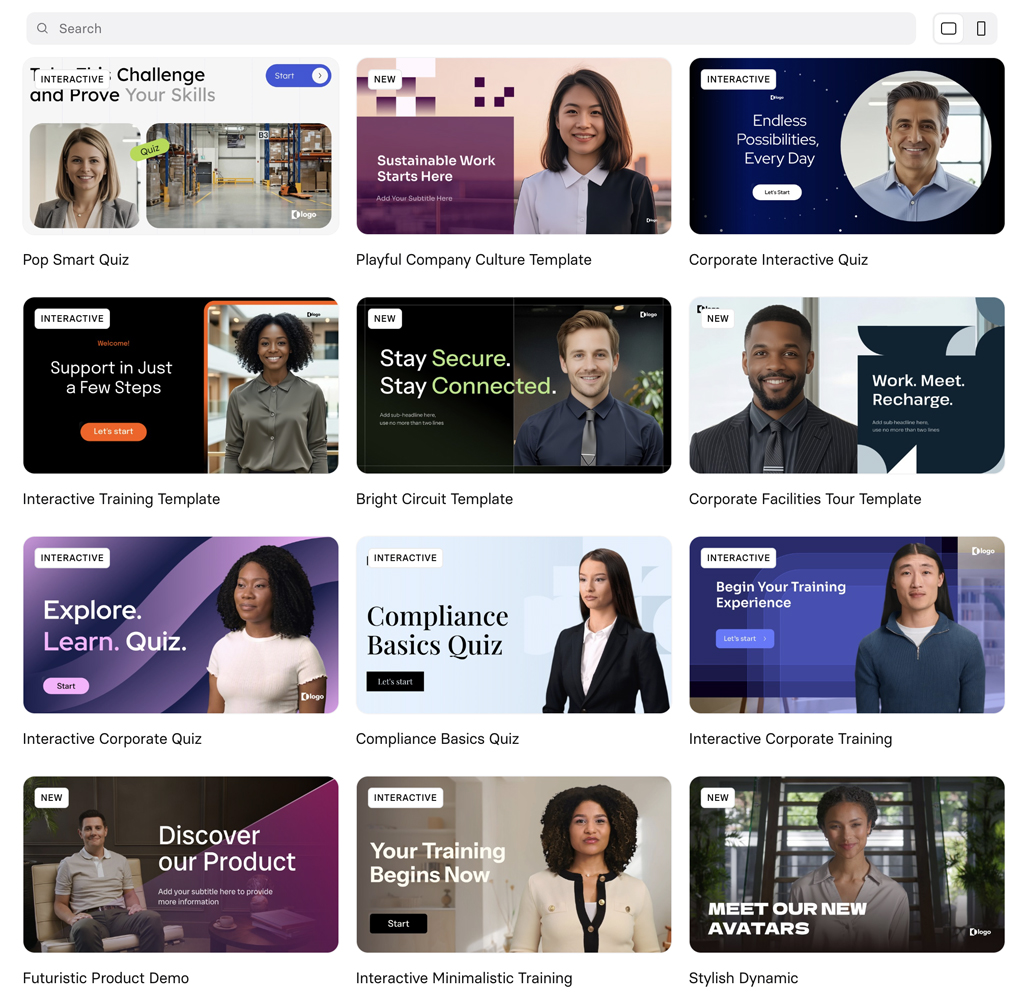
I definitely liked the video templates that are available. You should be able to find just the right format for your type of video.
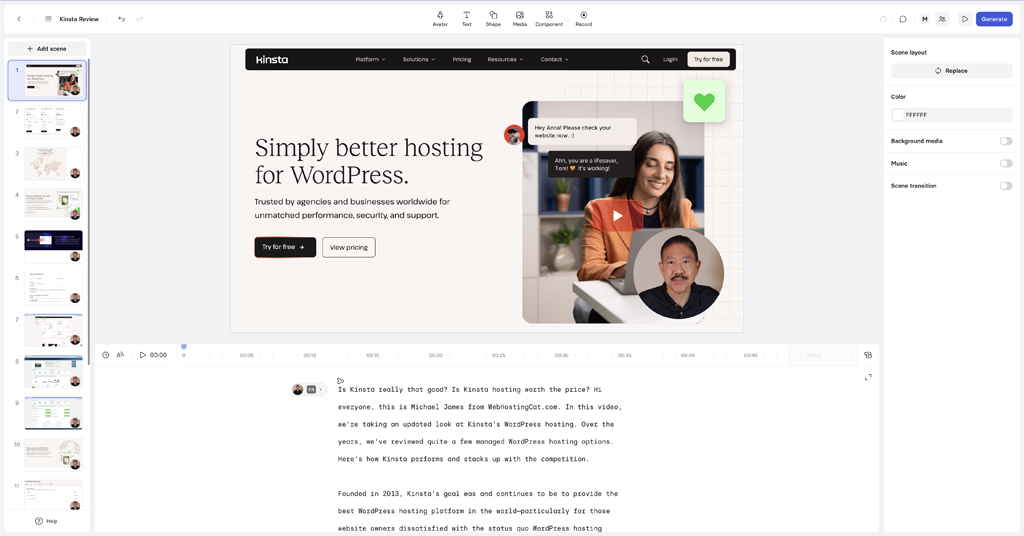
I used my avatar I created in Synthesia, pasted in my script, and created each scene for the video. The video editor is simple and easy to use. It was very easy for me to find the functionality I needed while creating my video, such as adding images, setting scene transitions, music, etc.
Once you’re finished adding your scenes, you can generate the first version of your video. For my 8 minute video, it took about 5 minutes for Synthesia to generate it. After editing my video, the second time I generated the video it took about 12 minutes, so times can vary.
Video quality was excellent and the avatar was synced to the audio very well. Again, the only downside for me is that the voice didn’t really sound like me. Also, the clarity and consistency of the voice track could have been a bit better.
Creating a Video Using Synthesia’s Avatars

By switching to one of the already available avatars in Synthesia, I had much better results. Synthesia includes a great selection of their own avatars you can use for any type of video.
When I switched out my own personal avatar to one of Synthesia’s, the audio quality was much improved. The voice audio was much more consistently clear, and the lip syncing was even a little better than when using my own avatar. So, at this point if you don’t need your own personal avatar, I would recommend using one of Synthesia’s avatars for the best results.
Synthesia Pros and Cons
- Easy Avatar Creation
- Good Selection of Ready Made Avatars
- Good Selection of Video Templates
- Easy to Use Video Editor
- Translate Videos into Other Languages
- Live Chat Support
- Voice Cloning Requires Enterprise Plan
- Translation Requires Enterprise Plan
Synthesia Customer Support
Synthesia includes a Help Center knowledge base, automated chat, and live chat support. The automated bot chat will probably be able to answer most basic questions. If you do need to connect with a live agent, there will be a wait. Depending on the time of day or number of support requests, the wait could be a few minutes or a few hours. However, you don’t have to sit in front of your chat screen as you’ll get a response via email as well. You can respond to the support agent through the chat interface or by replying to the email you receive.
Overall, I was satisfied with the customer support at Synthesia. I was able to have all my questions answered. Although I would like to see consistent shorter response times in the future, I do appreciate that unlike some other AI tools, Synthesia does offer live chat support.
Below are snippets of my support exchanges.


Conclusion and Recommendation
Synthesia can definitely speed up and improve your video content creation whether you need training, product, sales, or other business videos. It’s very easy to use, includes good customer support, and is available in several affordable plans.
On the plus side, I was impressed by the video editing and generation capabilities of Synthesia, as well as the ability to easily create your own personal avatar. I found working with Synthesia to be very intuitive, and when I did have a question, the support team was great in providing assistance.
Where I would like to see improvement with Synthesia is with their personal avatar voice cloning. As I mentioned above, in my case I didn’t think the voice sounded like me and the clarity and consistency wasn’t always there. However, as I also mentioned, when I used one of the pre-existing available Synthesia avatars, my results were better. With their own avatars, Synthesia does a better job in audio consistency. And, there is a wide selection of avatars you can choose from.
For these reasons, I would primarily recommend Synthesia for larger businesses or enterprise applications. You need to have Synthesia’s Enterprise plan to get full voice cloning and language translation. If you need an AI video tool for small business or personal use, and you don’t need or want your own avatar image, then Synthesia would also be a good choice as you can just use one of their avatars in your videos.
See our Synthesia Review Ratings below.
Synthesia Review Ratings
- Features: 93
- Video Quality: 90
- Audio Quality: 82
- Avatar Quality: 95
- User Interface: 98
- Customer Support: 92
- Value: 89