



> Get 79% Discount on Hostinger
Is Hostinger really good? Let’s take a look and see.
Hostinger Pricing and Plans
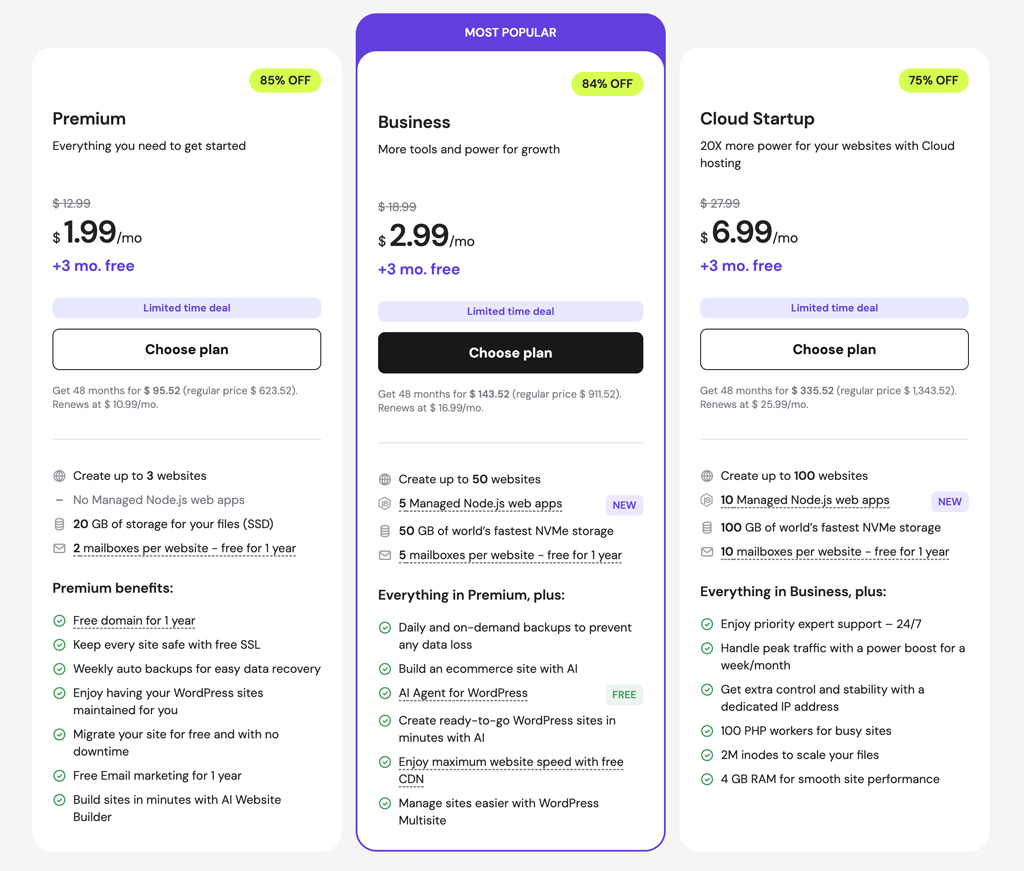
Hostinger has three different hosting plans to choose from:
Premium $2.49 mo.
Business $3.49 mo.
Cloud Startup $7.59 mo.
Please note that the above prices are for annual multiyear plans. However, even their shorter term hosting plans are very cheap. And, their renewal rates are also more affordable than other hosts.
The Premium Hosting plan is well-suited for beginners and first time website owners. The Premium Web Hosting plan includes unlimited bandwidth and allows up to 100 websites. You also get a free domain for the first year. And, with the Business Web Hosting plan you get twice as much SSD storage and WordPress staging.
Creating Your Website with Hostinger
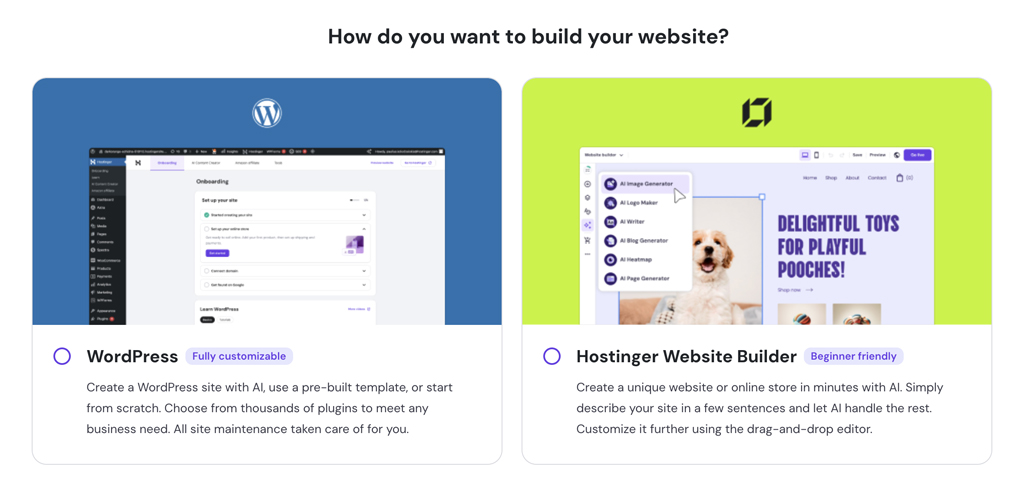
Hostinger has done an outstanding job with simplifying and streamlining the website creation process. I have to admit that I was thoroughly impressed. When you sign up with Hostinger, their wizard will guide you step by step in creating and setting up your website. I was able to create a WordPress website within a few minutes!
Hostinger’s website setup process will be especially helpful to beginners. They definitely have one of the easiest website creation features—even for WordPress.
Hostinger Dashboard
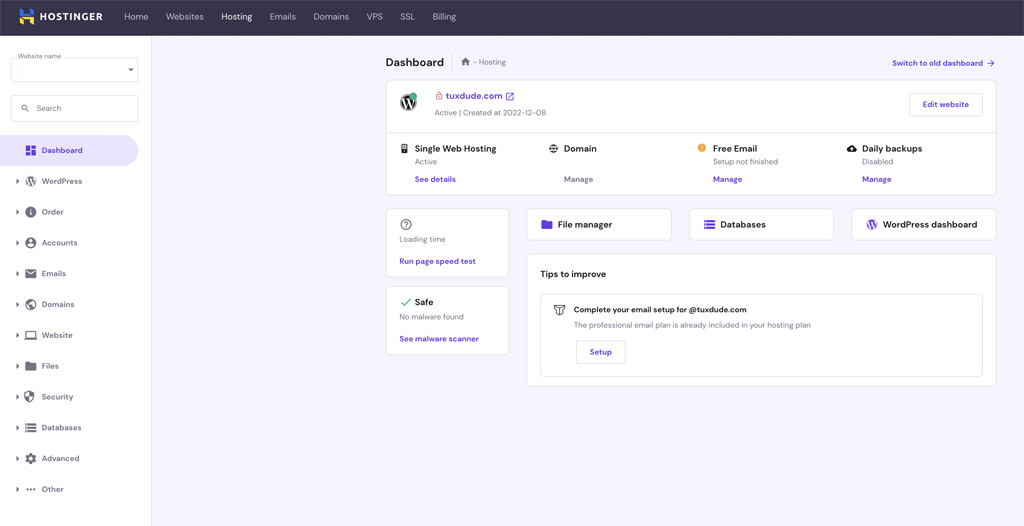
The Hostinger dashboard is very easy to use. At first, there may appear to be a lot to digest, but as you utilize it, you’ll find it very intuitive with easy access to all of your website functionality.
WordPress Hosting
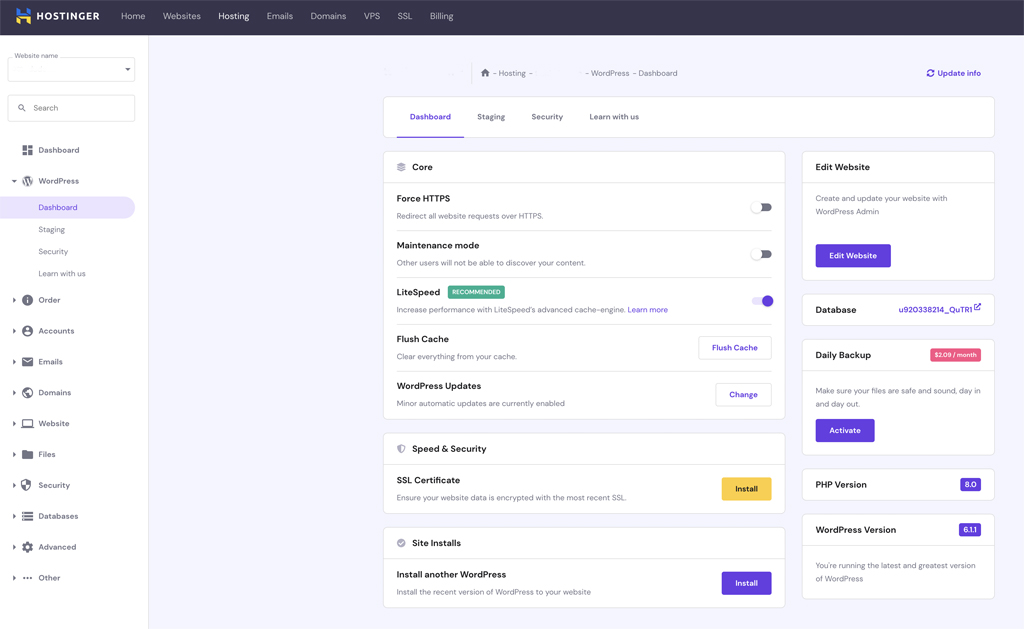
I mentioned above that Hostinger has really made creating a WordPress site easy. In addition to the usual WordPress Admin, Hostinger also provides their own WordPress dashboard that allows easy access to important functionality such as caching, SSL, updates, and security. There’s also a built-in Maintenance Mode switch that you can use if you need to work on your website while preventing others from discovering your new content.
You can also access website staging from your WordPress dashboard, however you need to have the Business Hosting Plan to use it.
Overall, Hostinger has done a great job for WordPress users.
Website Security
Hostinger also gets high marks in the security category. I was very impressed with their Auto SSL feature, as my domain got free SSL installation immediately.
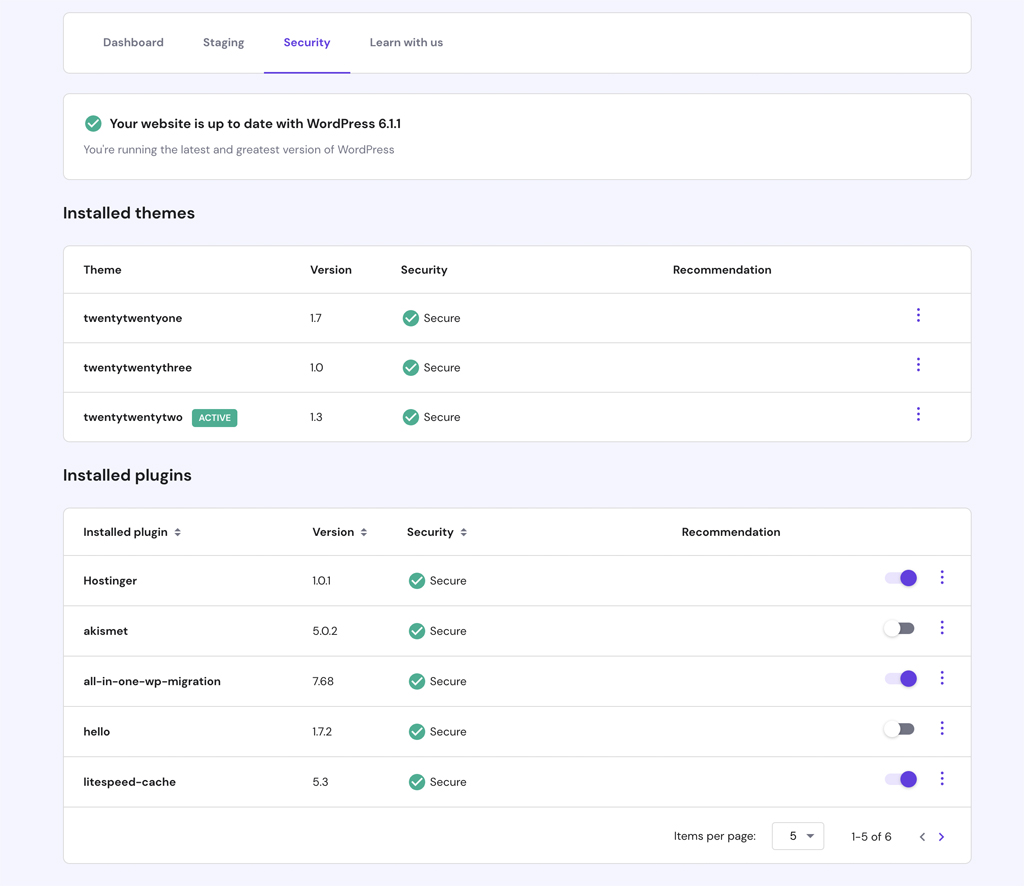
WordPress uses can click the Security tab on their dashboard to get a current security status on all of their themes and plugins.
And, Hostinger includes Cloudflare Protected Nameservers for better DDoS protection.
Automatic and On-Demand Data Backups
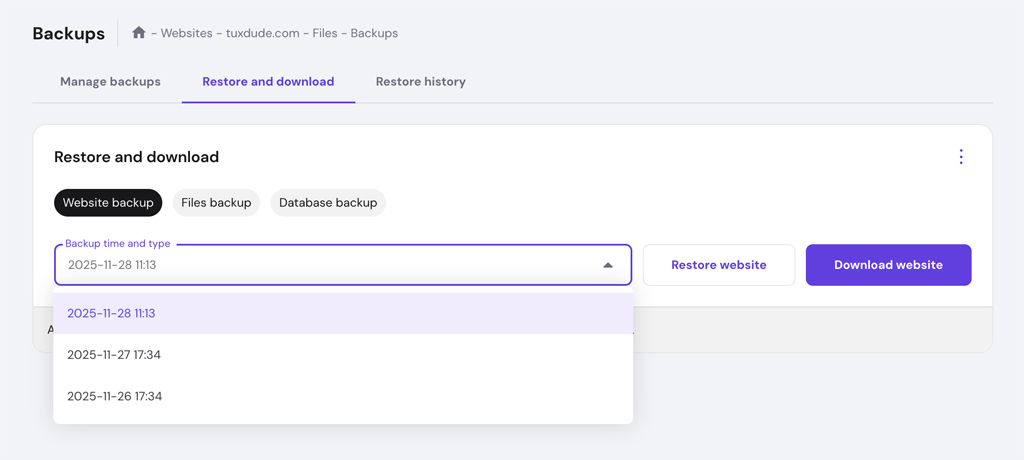
Hostinger has done a good job with data backup and restore functionality—especially with the Business Hosting plan that includes automatic daily and on-demand backups. You can easily access your website backups from your dashboard, as well as create a manual data backup. Data backups are kept for 7 days and you can restore or download your website backups from the Hostinger dashboard.
WordPress Website Staging
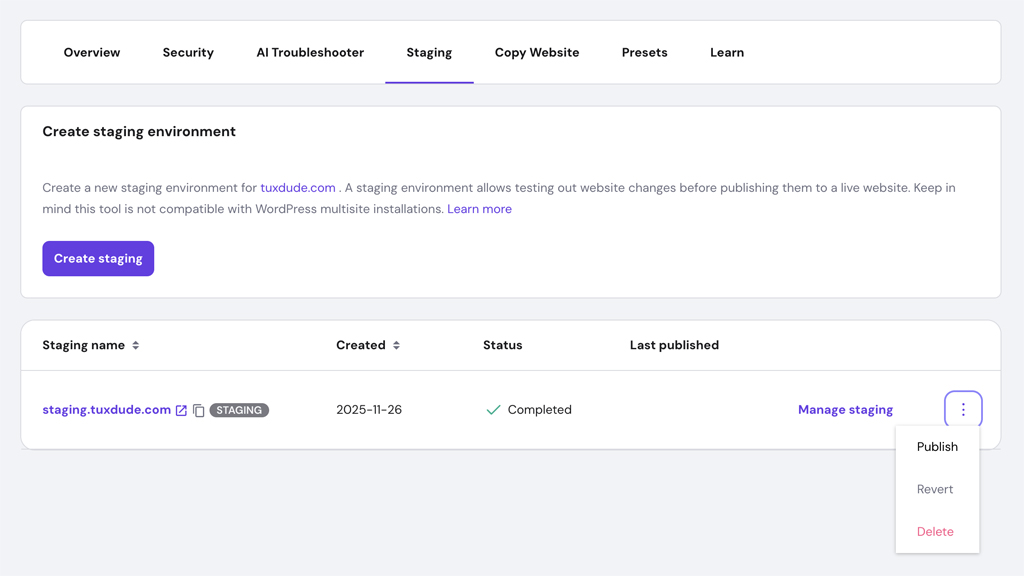
Website staging is included with the Hostinger Business plan. I found the process to be very easy to use. You can create a staging copy of your live website, make and test out changes, then publish the changes back to your live site.
Using the Hostinger Staging Tool, I was able to successfully make changes to and test out my staging site, then easily publish them back to my live website. The staging process can take up to 15 minutes, but everything worked out for me. In addition to publishing your changes to your live site, you also have the option to revert back to your previous live website version.
Website Speed and Performance
Hostinger has continually improved speed and performance. And, in my most recent testing and personal experience using Hostinger, I am happy to report that website speed is outstanding. In fact, Hostinger is among the top web hosts for site speed and performance whether you’re comparing managed or non-managed WordPress hosting plans.
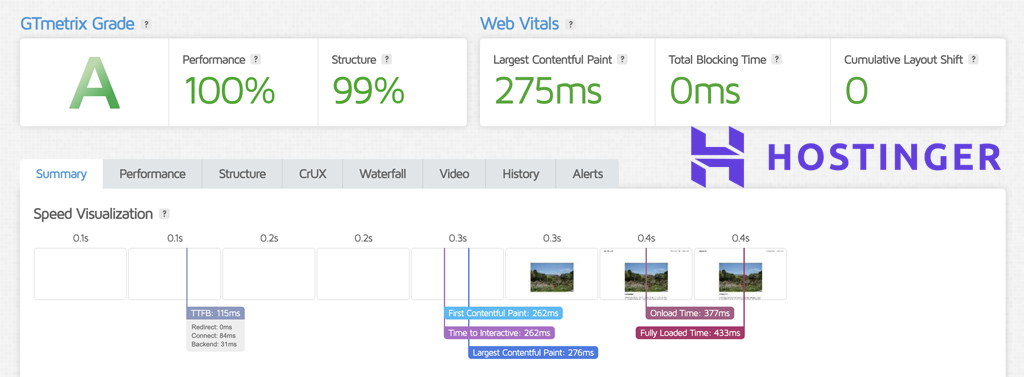
Hostinger provides a great selection of global data center locations along with their CDN, LiteSpeed Cache, and server resources. The results are faster performing websites with great core web vitals. See our sample speed test results via GTmetrix below.
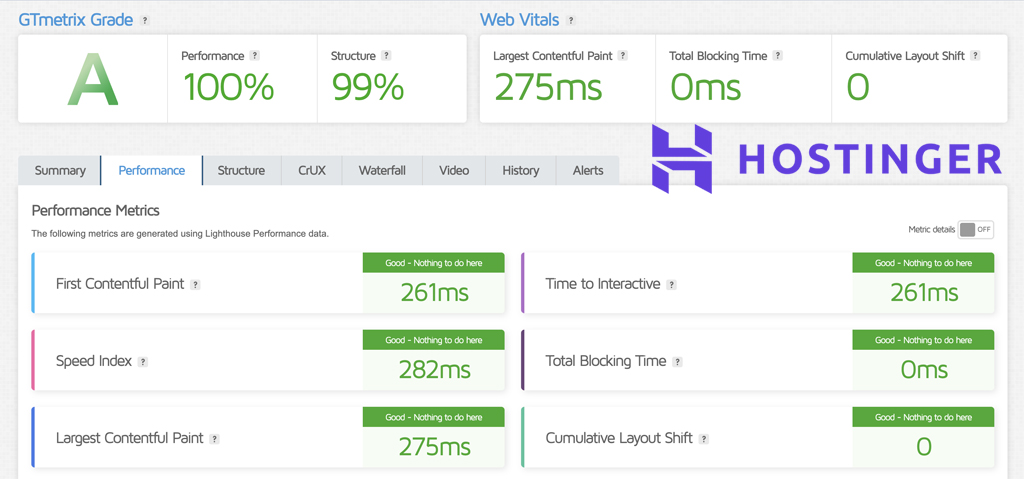
Where Hostinger doesn’t do as well is with load management. In our load testing via Loader.io, Hostinger did not do well during heavy traffic spikes. For that reason, if you expect heavy website traffic, there are probably better hosting alternatives out there.
Customer Support
Hostinger has done a good job incorporating AI chat support with their hosting plans. For basic information, you should be able to find the answers you need. You can request a live chat support agent, however there may be a bit of a wait time. Overall, I like Hostinger’s customer support. However, I would like to see a bit faster live chat response times.
Hostinger Pros and Cons
- Lower Prices
- Lower Renewal Rates
- Quick and Easy Website Creation
- Easy to Use Dashboard
- Custom WordPress Dashboard
- Excellent Website Speed
- Fast SSL Installation
- Website Staging and On-Demand Backups with Business Plan
- 99.9% Uptime Guarantee
- 30 Day Money Back Guarantee
- Live Chat Support Response Times Could be Faster
How Does Hostinger Compare with Other Web Hosts?
Hostinger vs A2 Hosting
Hostinger vs Bluehost
Hostinger vs DreamHost
Hostinger vs GoDaddy
Hostinger vs HostGator
Hostinger vs SiteGround
Conclusion and Recommendation
Hostinger continues to be one of the most impressive web hosting providers in the industry. In addition to being the best budget web hosting option in our opinion, they continue to improve both the features and performance you get with their hosting plans.
I’m particularly pleased with the Hostinger Business plan that provides true managed WordPress hosting features along with outstanding website speed and performance. And, the new Hostinger AI website builder and content creation features make it super easy for even beginners to quickly and easily get their websites up and running.
Overall, Hostinger is a great choice for both beginners on a tighter budget and experienced WordPress users looking for quality hosting for their websites.
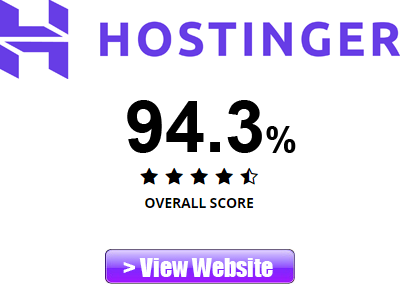
- Features: 98%
- Speed and Performance: 87%
- Customer Support: 92%
- Value: 100%