
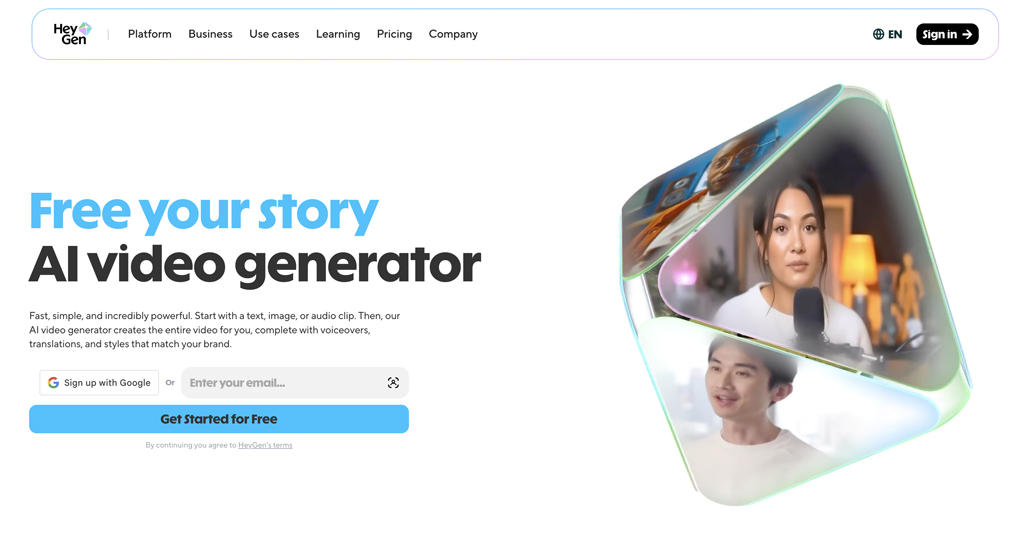
Is HeyGen really good? HeyGen is an AI video and avatar creator tool that is particularly suited for product, training, how-to, and social media videos. Here, in my HeyGen Review, I’ll go over what and how you can create content with HeyGen, along with its pros and cons. Ultimately, you’ll be able to determine whether it’s the AI video tool you should be using.
HeyGen Pricing and Plans
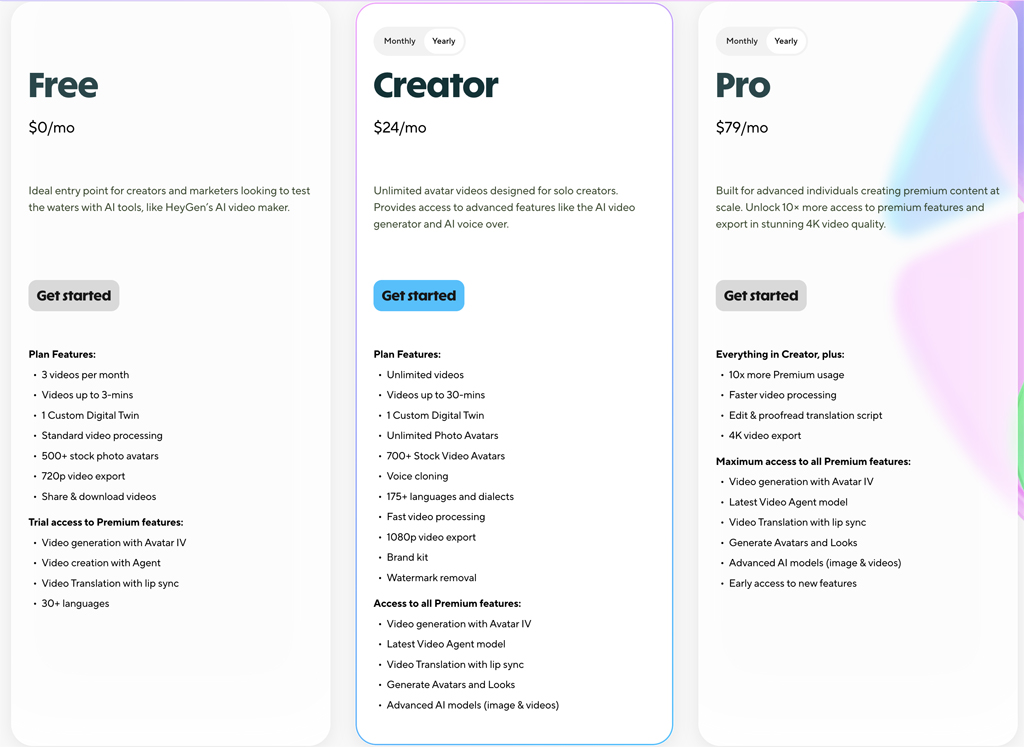
You can start out by signing up for HeyGen’s free plan. It’s a great way to get familiar with the product. However, serious content creators and business owners should opt for either the Creator or Pro Plan. You’ll not only get more and better AI video features, but you can create unlimited videos at a higher quality resolution.
- Free $0 mo. (3 Videos mo. at 720p)
- Creator: $24 mo. (Unlimited Videos at 1080p)
- Pro: $79 mo. (Unlimited Videos at 4K)
How to Create Your Own AI Video Avatar

Creating your own avatar is very easy with HeyGen. I found the process very intuitive and quick. After selecting the Avatar menu option, you can record yourself from your webcam or submit a pre-recorded video of yourself—which is what I did.

Once you upload your video, it only takes a few minutes for your avatar to be created. Keep in mind that while you can then view your avatar, you still need to verify that it is really you for security reasons. To do this, you simple record a verification video from your phone or computer.

Visually, I was very impressed with the HeyGen avatar. And, I like how you can easily add additional looks to your avatar by uploading photos. However, while I liked the avatar video quality, I have to admit that the voice didn’t really sound like me. For example, it wasn’t nearly as close to my own voice as the voice cloning you can get using ElevenLabs. There are options you can try that can “fix” your voice. While it was a little bit better, it still wasn’t as close as I’d like. However, there is a way you can get your avatar voice to sound more like your own. See below.
Creating a Long-Form Video in HeyGen
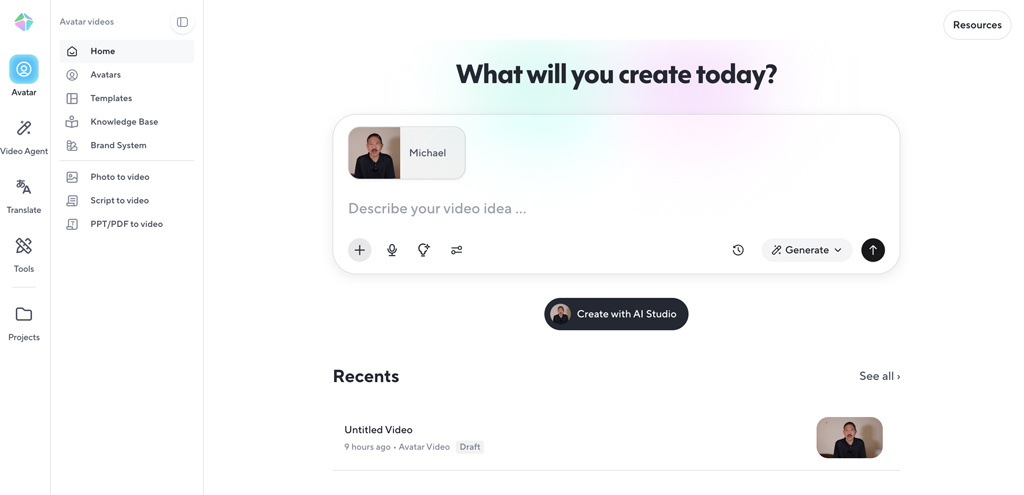
While creating a video with HeyGen is very easy, the video generation process did take longer than I expected. For a one minute video, HeyGen took over 15 minutes—longer than other AI video generation tools. However, video generation with the paid versions is faster. Video quality was fine.
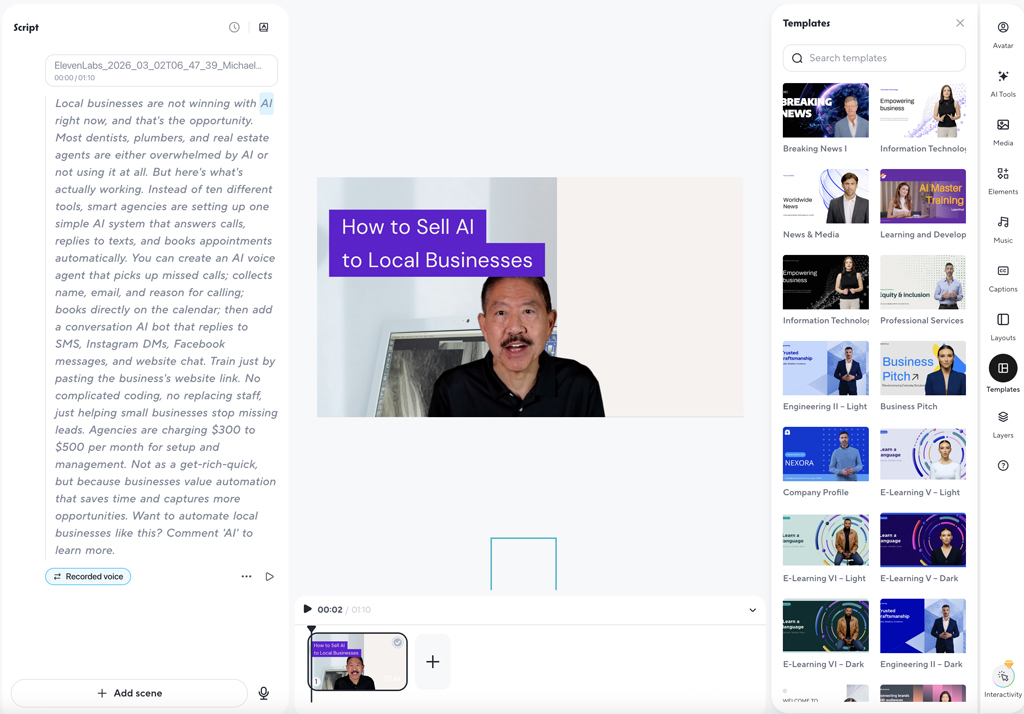
You can create a video from the home screen or by using the HeyGen AI Studio. AI Studio gives you more flexibility and options. You can select your templates and scene formats, choose your voice, and add elements such as images and music.
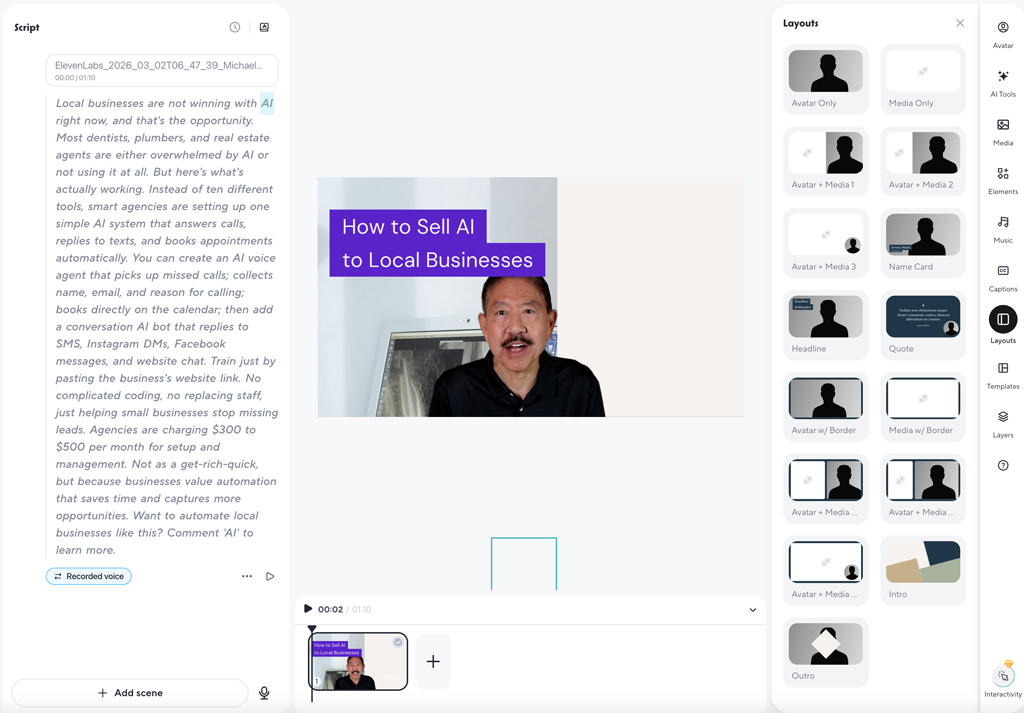
While I did like the video scene formats you can choose, unfortunately HeyGen does not adjust your avatar image accordingly. For example, when I chose the format that has my avatar image in a lower right corner circle, the shot was too wide. I would have preferred more of a close up of my face, however HeyGen does not adjust your image. You would need to reshoot your avatar video to the size you want for that scene format.
What also wasn’t great was in that in my generated video, my avatar image was no longer a nice looking circle in the bottom corner, but it had been changed to a weird oval shape that made my image look distorted.
HeyGen Voice Cloning
I have to admit I was a bit disappointed in HeyGen’s voice cloning functionality. As I mentioned above, the voice generated from my avatar video didn’t really sound like me. So, I decided to try out the separate voice cloning function in the HeyGen AI Studio. I uploaded a voice sample to be cloned. However, when I got the generated audio, though it sounded a bit more like me, the voice sounded kind of robotic. And, I also couldn’t get the right sounding speed. The generated voice either sounded to fast or to slow no matter how I adjusted it.
However, there is still a way to match your voice more precisely. You can use ElevenLabs to clone your voice. Then, generate an audio file in ElevenLabs from your script. You can then upload this audio file to the video you’re creating in HeyGen’s AI Studio. When you generate your video, HeyGen does a good job in lip syncing the audio to your avatar. It is more work, but if you want to more closely match your voice, I would use this method.
Hopefully, as the technology continues to improve, HeyGen’s voice cloning will be more like the voice cloning you get with ElevenLabs.
Creating a Short Form Video in HeyGen
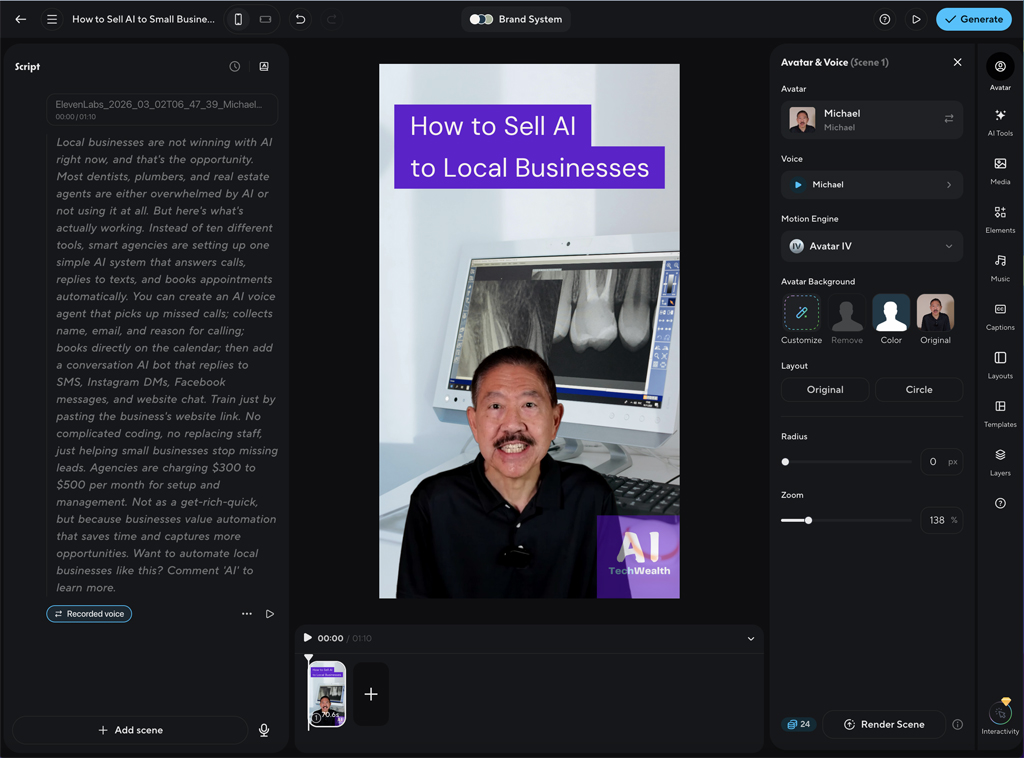
I had better success creating short-form videos with HeyGen. I found the process more intuitive and the product better suited for these types of videos. The video layouts were better and I didn’t run into any formatting issues with my avatar. The video generation process took a bit longer than I had hoped. For example, a one minute video took about 9 minutes to be generated.
Again, the cloned voice from HeyGen, though acceptable, didn’t really sound like me. As I mentioned above, I used ElevenLabs to generate an audio file from my cloned voice there and uploaded this to HeyGen. I was then able to get better audio for my video.
Still, I was impressed with the short-form videos I created with HeyGen. And, looking at the big picture, using HeyGen for these types of videos is still easier than having to set up a camera, recording, and editing the video together yourself.
HeyGen Pros and Cons
- Easy Avatar Creation
- Easy to Use Video Editor
- Good Video Quality
- Great for Short Form Social Media Videos
- Easily Translate to Different Languages
- Responsive Live Chat Support
- Affordable Video Plans
- Video Generation Could be Faster
- Voice Cloning Could be Improved
- Free Plan has Limited Features
HeyGen Customer Support


HeyGen includes a Help Center knowledge base as well as chat support. Keep in mind, live chat is only available with paid plans. If you’re using the free plan, you only get automated chat support. That being the case, I was impressed by the responsiveness and helpful assistance I received with HeyGen’s live chat support. It was far superior to a lot of the other AI video tools out there.
Conclusion and Recommendation
HeyGen is definitely an effective AI tool for creating videos. In my opinion, it’s best suited for generating short-form video content. So, it’s perfect if you’re trying to generate social media videos for TikTok, YouTube, Facebook, and Instagram.
HeyGen makes it very easy to clone yourself and create your own personal avatar. While the voice matching isn’t currently as close as I’d like, you can upload your own voice files or record directly from the HeyGen AI Studio interface for a better voice match. The AI Studio interface is for the most part intuitive and easy to use. And, HeyGen does a good job in lip syncing your avatar to the audio.
I was also impressed with the live chat support you get with the Creator Plan, which was responsive and helpful.
Overall, I would recommend HeyGen more for content creators and small business owners as opposed to enterprise use. See our Review Ratings below.
HeyGen Review Ratings
- Features: 94
- Avatar Quality: 95
- Video Quality: 90
- Audio Quality: 84
- User Interface: 93
- Customer Support: 96
- Value: 94