

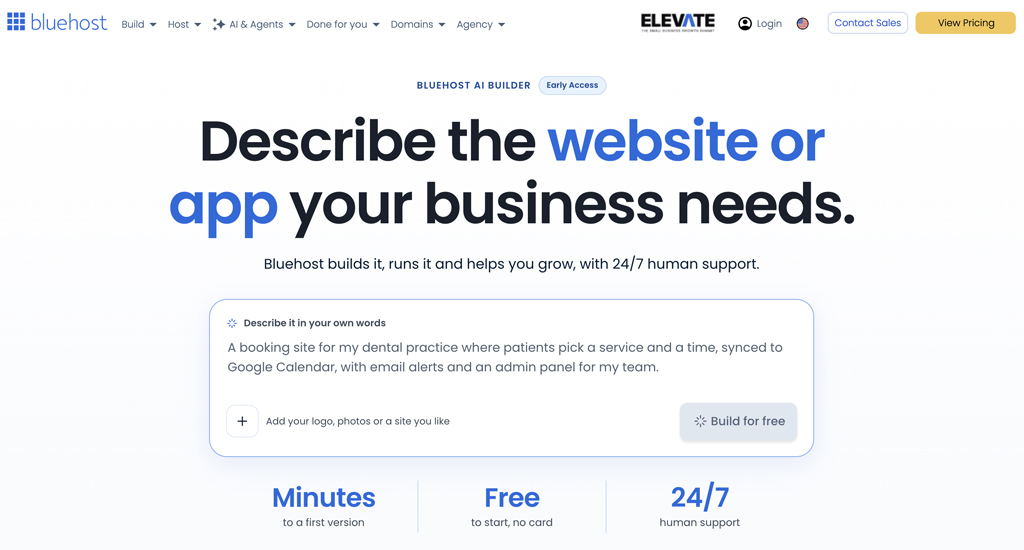
AI and vibe coding have made creating a website quicker and easier than ever. While there are a number of great vibe coding tools available now, with the Bluehost AI Builder you also get Bluehost’s established hosting platform. Here in our Bluehost AI Builder Review, I’ll show you how easy it is to create your website, how well it performs, and how it compares with other website builders—including Bluehost’s traditional WordPress website builder.
Bluehost AI Builder Pricing and Plans
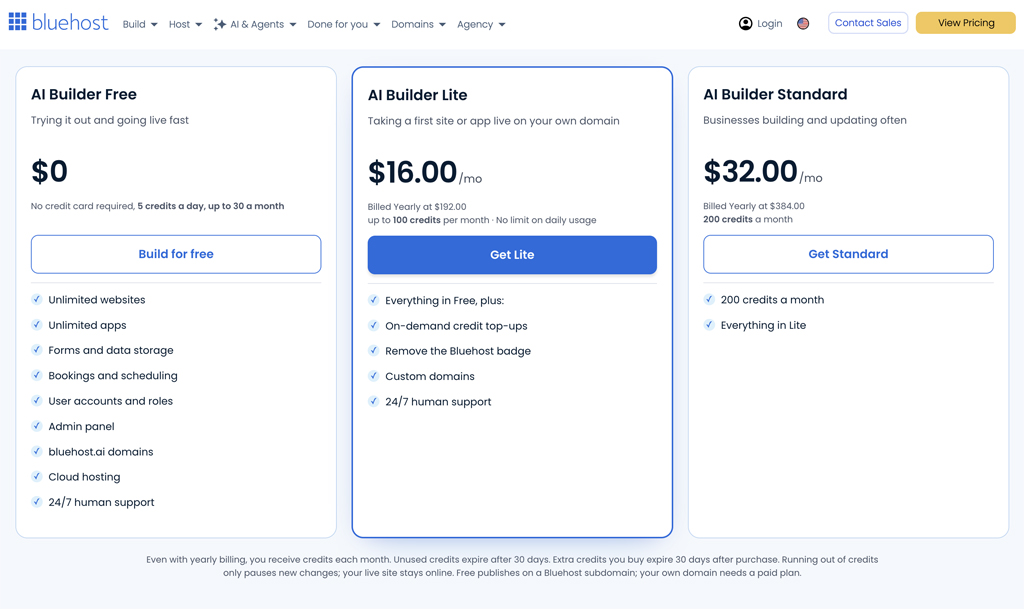
You can actually try out the Bluehost AI Builder free with no credit card required! And what’s great is that you can create unlimited websites and apps with it. If, after trying and using the AI Builder, you find it a good fit and want to use your own domain, you can opt for either the AI Builder Lite plan for $16 mo. or the AI Builder Standard plan for $32 mo. With the Lite plan, you get up to 100 credits per month and with the Standard plan you get 200 credits a month.
Creating a Website with AI Builder
Getting started with the Bluehost AI Builder is super easy. Just enter what kind of website you need into the prompt, sign up for your free account, and watch the AI Builder create your website.
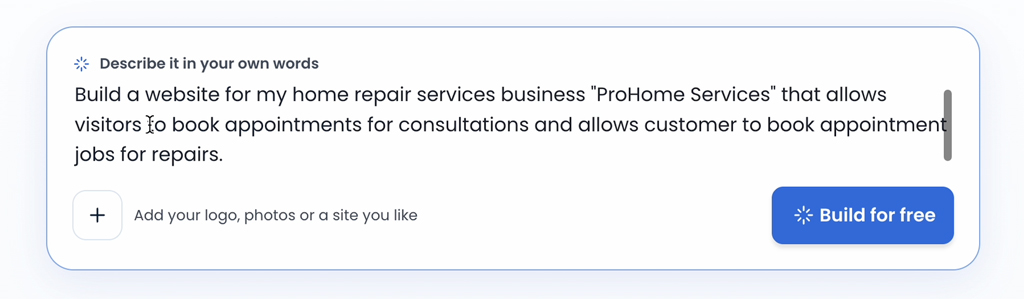
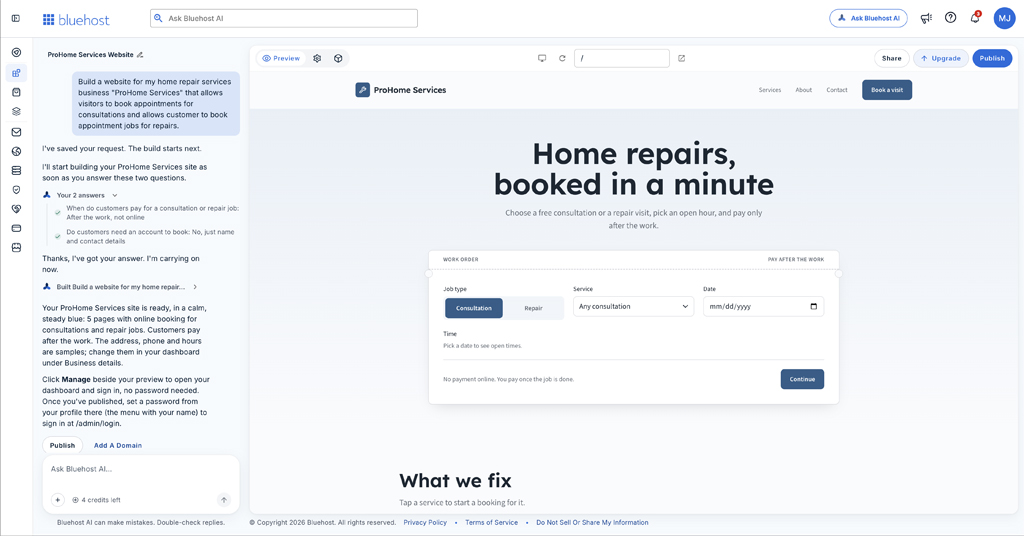
In my case, it took about 5 minutes for my home services website to be generated.
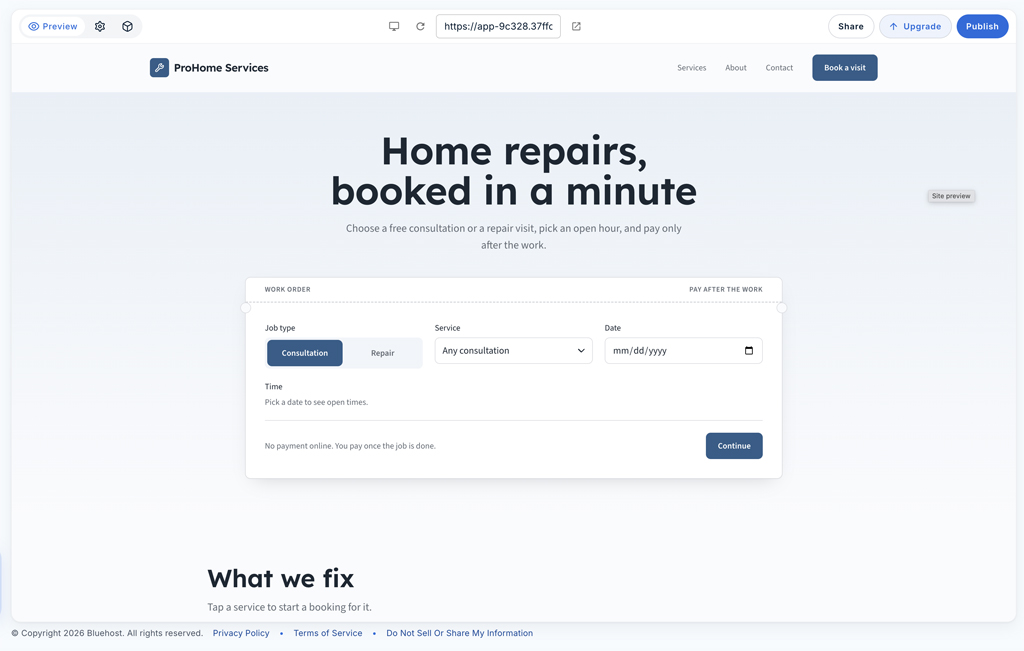
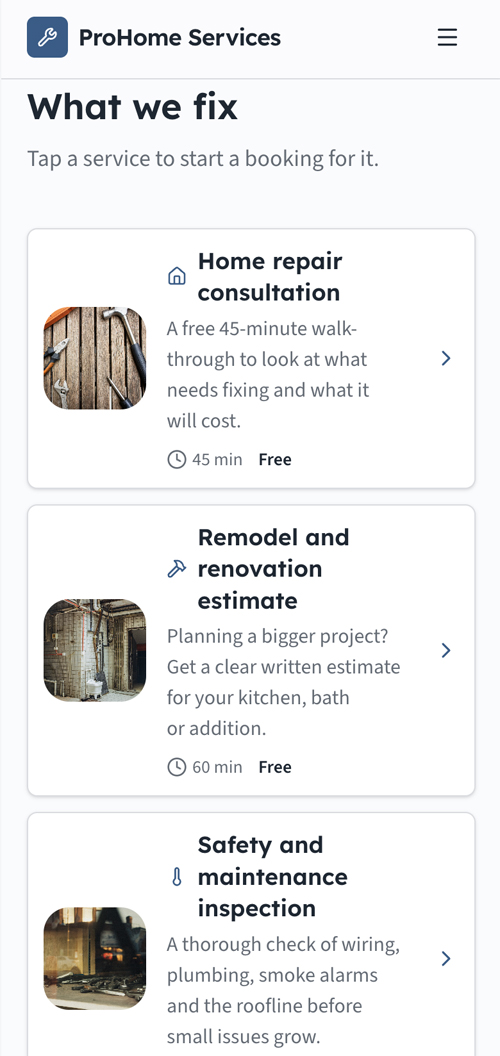
I created a website for a home services repair business—complete with online booking for consultations and repair jobs. The home page was set up to allow visitors to quickly and easily book appointments. It also features a description of services and all relevant business contact information.
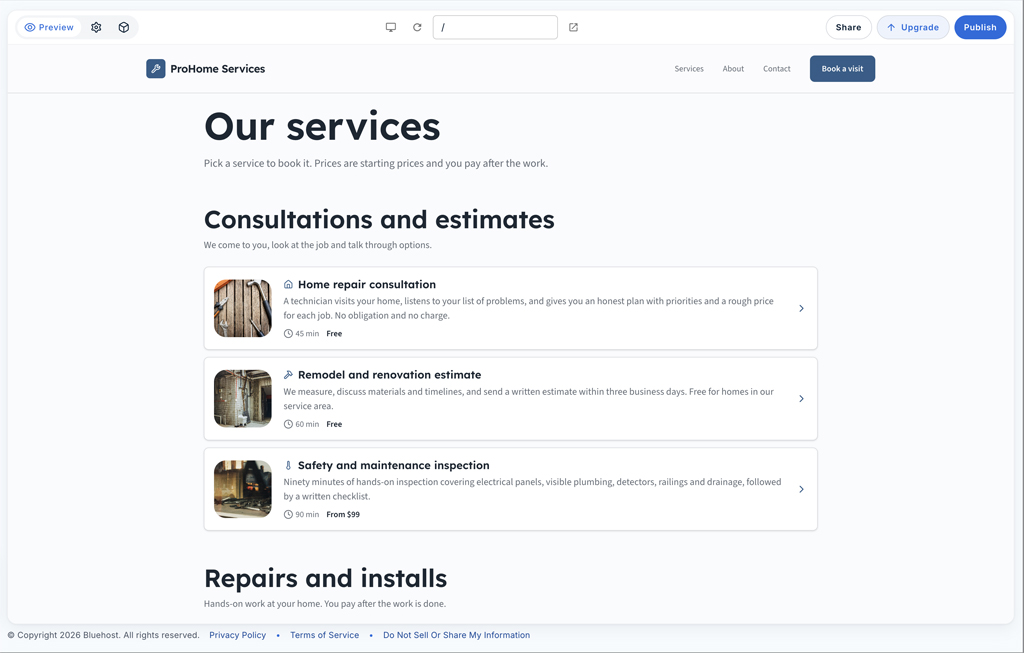
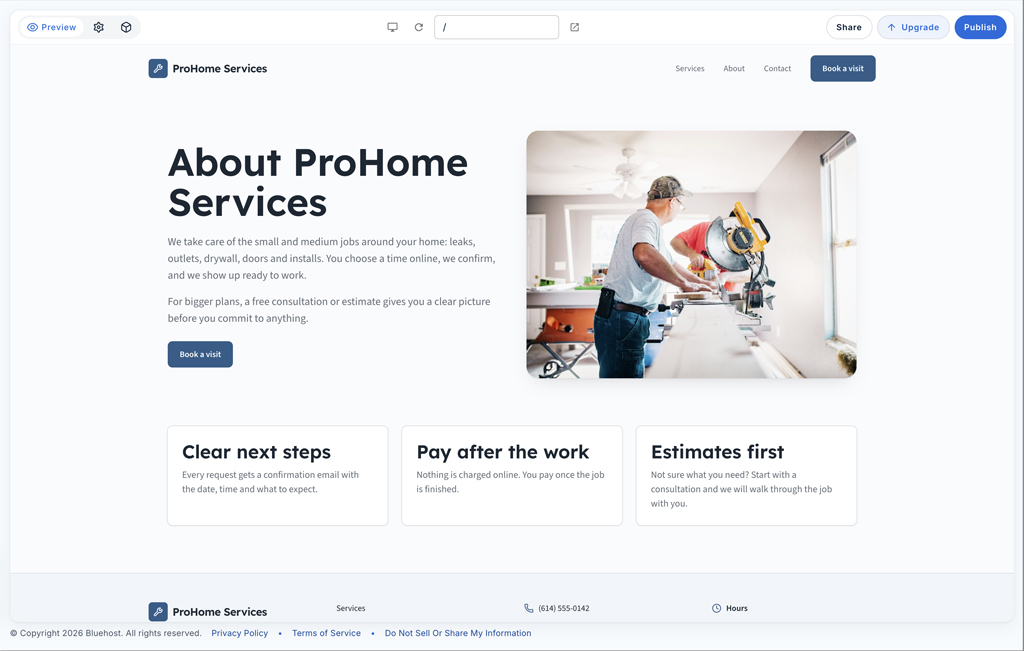
Once your site is created, you can click the publish button to get it online right away. You can also connect your custom domain by opting for one of the paid plans.
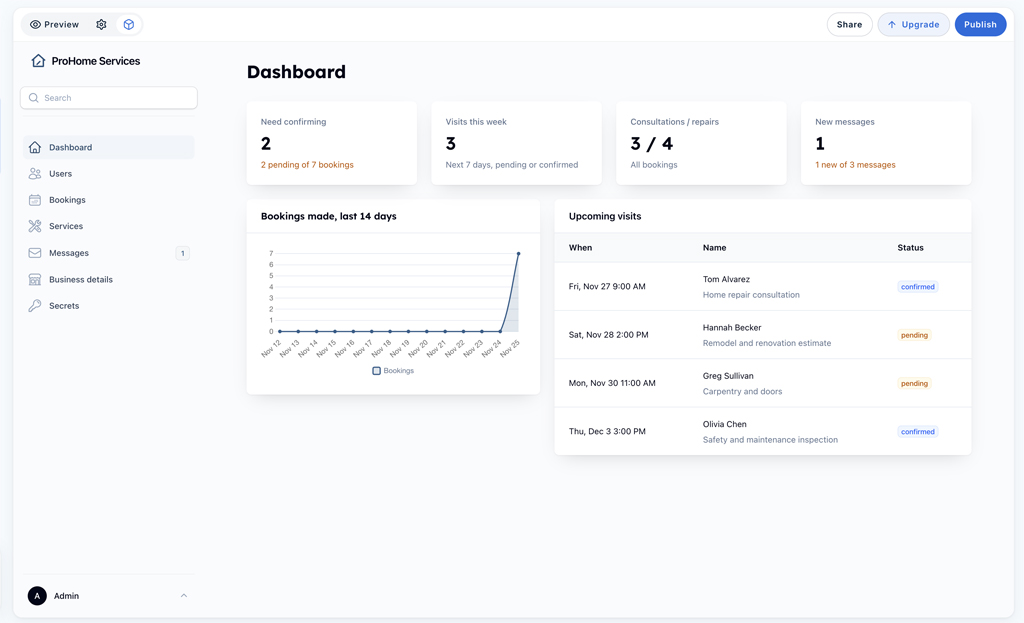
By clicking the Manage option, you get full access to your backend information of your customers and upcoming appointments.
Editing Your Site with AI Builder
One thing to keep in mind here, if you want to edit your website (change text or images, etc.), you need to use the AI chat interface. Unlike some other AI website builders, there is no drag and drop editor included. However, I found the AI chat interface performed very well—quickly answering all of my questions.
I also found the process of editing through the AI chat very successful. I was able to change text and images easily. While some may prefer a more traditional drag and drop manual editor, beginners and non-tech site owners will appreciate the ability to simply request website changes and not have to code or setup anything themselves.
Creating an App with AI Builder
Currently, as with a lot of the AI site builders, the Bluehost AI Builder doesn’t create full native apps for the App Store or Google Play. Hopefully, that’s coming in the future. However, you can easily make your site work like an app so customers can add it to their phone home screen and book appointments from there.
You can easily preview how your site will appear on mobile devices through the Preview feature in the AI Builder.
AI Builder Website Speed and Performance
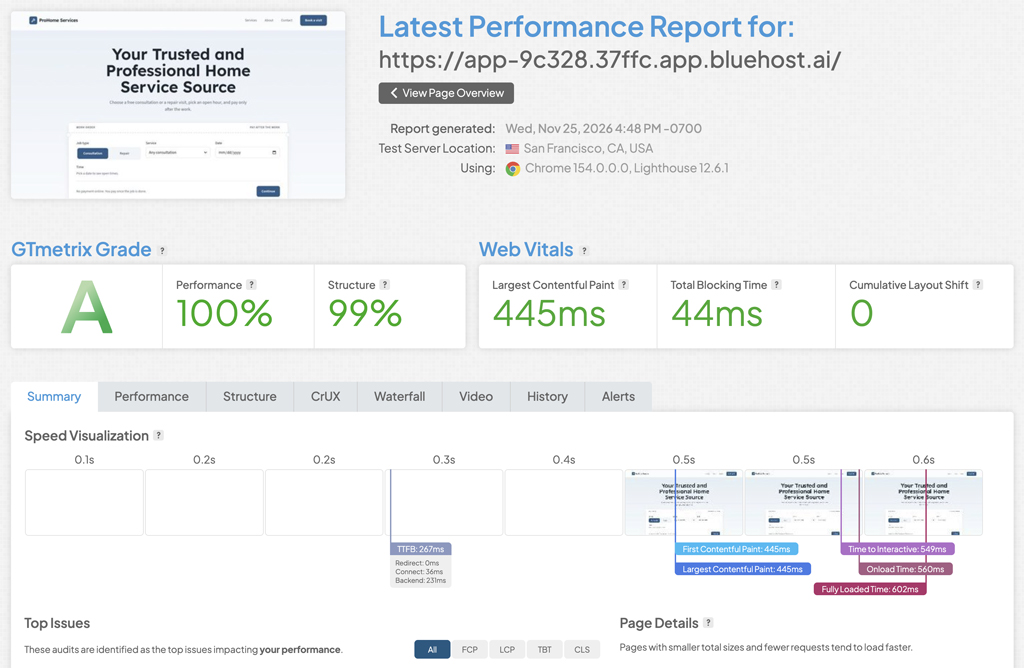
So, how does a website created with the Bluehost AI Builder perform? Site speed and performance were excellent—especially for a website builder generated site. Not only was speed better than some of the other well-known AI site builders, but speed test results were also much better than Bluehost’s WordPress Website Builder.
In our GTmetrix testing, our website received a 100% Performance Score. Core Web Vitals were good to excellent and full page loading time was also impressive. Take a look at some sample test results below.
Bluehost AI Builder vs WordPress Website Builder
Previously, I reviewed the Bluehost WordPress Website Builder, and overall was impressed with it. How does the new Bluehost AI Builder compare to it?
Creating your website is very easy with both of these site builders. And in fact, both create websites in about the same amount of time. The Bluehost AI Builder has the advantage of using the AI technology to completely create your site, so all you have to do is tell it what you want. With the WordPress Website Builder, you need to provide more input. The plus side is that you do have more control.
Editing your website is completely different. The WordPress Website Builder includes a typical drag and drop editor where you can manually make your changes. With the Bluehost AI Builder, you tell the AI chat what changes you want. Using the AI Builder is easier and potentially faster depending on your edits. On the other hand, with the WordPress Website Builder, you have more immediate control as you’re making the changes yourself.
When it comes to website speed and performance, the new Bluehost AI Builder is definitely the winner. The designs are more efficient and the results were apparent in our testing. Our Bluehost AI Builder site posted outstanding performance scores and excellent core web vitals. By contrast, our WordPress Website Builder site produced the typical speed and performance scores you would expect from a website builder generated site. Performance was good, but not great. And, page loading times were noticeably slower.
Overall, for most users, we would recommend the Bluehost AI Builder over their WordPress Website Builder. It’s easier to use and produces better performing websites. If you want more control over your website design, or you need the flexibility and control of WordPress, then the Bluehost WordPress Website Builder would be better suited for you. However, for most of today’s websites, we would give the nod to the Bluehost AI Builder.
Bluehost AI Builder vs Lovable
How does the Bluehost AI Builder compare with other Non-WordPress website builders such as Lovable? We found the Bluehost AI Builder much more efficient and effective. Unlike the Lovable AI chat, Bluehost AI Builder was able to answer all of our questions in addition to performing all of our site building tasks. Lovable, on the other hand, was unable to provide some answers, and most annoyingly, simply stopped working because we didn’t have enough credits in free mode. By contrast, we were able to build the exact same type of website using just the free plan with the Bluehost AI Builder.
Conclusion and Recommendation
If you’re looking for a faster and easier way to get a website online for your business or other needs, the Bluehost AI Builder deserves your consideration. We were impressed, not only with the speed and simplicity it provided in creating websites, but also the fact that (unlike other site builders we’ve tried out) we didn’t run into any glitches when building, editing, or publishing our website.
Additionally, the Bluehost AI Builder produced a very fast and efficient website. We were pleasantly surprised with our speed and performance testing. Our Bluehost AI Builder website produced fast loading pages along with impressive Core Web Vitals.
I would definitely recommend trying out the Bluehost AI Builder for yourself. You can create a fully functional site for free—and you don’t have to enter your credit card information either. Just tell the AI Builder what type of website you want, and watch the AI technology do its thing. It’s a great tool for creating the perfect digital footprint website for your business.
Click Here to Start Using Bluehost AI Builder Free
($0 to start, no credit card)
Affiliate Disclosure:
Per the FTC Guidelines, please note if you purchase the AI Builder from one of the links in this article, we receive a commission—at no extra cost to you.
